
How to Use Google Search Console and GA4 Together for Better SEO Decisions
SEO data becomes much more useful when you can connect search visibility with what visitors actually do after reaching your website.
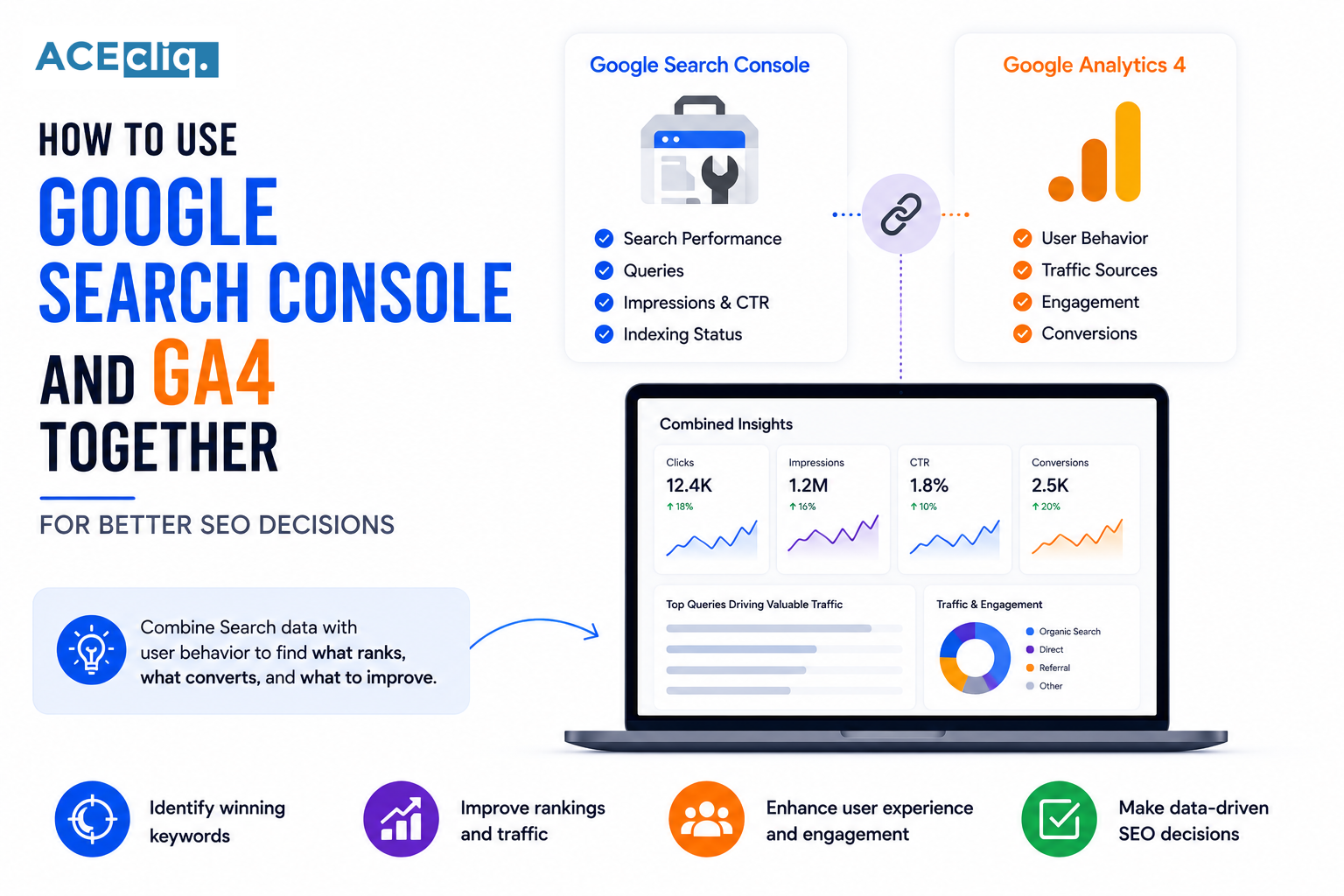
Google Search Console and GA4 provide two different views of your organic performance. Search Console helps you understand how people discover your website through Google, while GA4 helps you understand what happens after they arrive.
Using these platforms together can help businesses identify high-performing pages, discover content opportunities, understand user behavior, and connect organic search traffic with meaningful business outcomes.
At ACECLiQ, we use search and analytics data together to move beyond rankings and understand which SEO activities actually contribute to traffic, engagement, leads, and growth.
AI Overview
Google Search Console and GA4 provide different but complementary SEO insights. Search Console focuses on how a website performs in Google Search, including impressions, clicks, queries, CTR, and average position. GA4 provides information about what users do after arriving on the website, including engagement, landing pages, conversions, and other user interactions. Using both platforms together helps businesses connect search visibility with website behavior and business outcomes, allowing them to make more informed SEO and content decisions.
Google Search Console vs GA4: What's the Difference?
Google Search Console and GA4 are designed for different purposes.
Google Search Console focuses primarily on your website's performance in Google Search. It provides information about queries, impressions, clicks, CTR, average position, and search visibility.
GA4, or Google Analytics 4, focuses on what users do after they reach your website. It can provide insights into traffic sources, landing pages, engagement, events, conversions, and user behavior.
Neither platform replaces the other.
Together, they create a more complete picture of SEO Performance.
Why Use Search Console and GA4 Together?
Looking at only one platform can leave important questions unanswered.
Search Console might show that a page receives thousands of impressions but relatively few clicks. GA4 can then help you understand what happens with the users who actually visit the page.
Similarly, GA4 may show that a particular landing page generates valuable conversions, while Search Console can reveal which search queries are bringing those visitors.
This connection allows businesses to prioritize SEO work based on both search visibility and business value.
What Google Search Console Tells You
Search Console is particularly useful for understanding your visibility within Google Search.
The Performance report can show:
- Search queries
- Impressions
- Clicks
- Click-through rate
- Average position
- Top-performing pages
These metrics can reveal which topics Google is already associating with your website.
For example, a page may be appearing for several relevant queries that were not originally included in your keyword strategy.
Those queries can provide useful opportunities for content improvement.
What GA4 Tells You
GA4 helps you understand what happens once users reach your website.
You can analyze organic traffic, landing pages, engagement, events, and conversions based on your implementation.
This allows you to identify whether organic visitors are actually interacting with your website.
For example, two pages may generate similar amounts of organic traffic, but one may produce substantially more leads.
That difference is important when deciding where to invest future SEO resources.
Find High-Potential SEO Pages
One of the most useful approaches is to compare Search Console visibility with GA4 website performance.
Start by identifying pages that receive strong impressions and clicks in Search Console.
Then examine those pages in GA4.
Look at engagement and conversions to determine which pages attract visitors who are valuable to your business.
These pages can become priorities for further optimization and internal linking.
Identify Keyword and Content Opportunities
Search Console can reveal queries where your website already has visibility.
Look for relevant searches generating impressions but limited clicks.
These may indicate opportunities to improve titles, descriptions, content relevance, or search intent alignment.
You can also identify queries where a page ranks reasonably well but could potentially be improved with more comprehensive information.
GA4 can then help determine whether visitors arriving through those pages are engaging with the website.
This creates a more complete SEO Content Strategy.
Connect Organic Traffic With Conversions
Traffic alone does not necessarily represent SEO success.
Businesses ultimately need to understand whether organic visitors perform valuable actions.
Depending on your business, a conversion might be a form submission, consultation request, purchase, phone call, signup, or another meaningful event.
GA4 can help you evaluate these actions.
Search Console can then provide additional context about the search visibility associated with the landing pages receiving that traffic.
This helps connect SEO activity with business outcomes.
Analyze Landing Page Performance
Landing pages are an important connection between Search Console and GA4.
Search Console can show how a page performs in Google Search, while GA4 can provide insights into what users do after landing on it.
Suppose a page receives strong impressions and clicks but has poor engagement.
That may suggest a mismatch between the search result and the actual page experience.
Alternatively, a page with modest traffic but strong conversions may deserve additional SEO investment.
Find Pages With Traffic but Low Conversions
A page generating substantial organic traffic may appear successful at first glance.
But if those visitors rarely take meaningful actions, there may be an opportunity to improve the page.
Review the search intent behind the traffic.
Does the page answer the user's question?
Is the next step clear?
Does the content attract the right audience?
Are the products or services relevant to the visitor?
These questions can help turn existing organic traffic into more valuable business opportunities.
Find Pages With Low Traffic but High Conversion Potential
The opposite situation is also important.
A page may receive relatively little organic traffic but convert visitors extremely well.
This can indicate that the page targets a valuable audience.
Instead of ignoring it because traffic is low, investigate whether there are opportunities to improve its search visibility.
You might strengthen the content, build relevant internal links, target additional relevant queries, or create supporting content around the topic.
This is where Data-Driven SEO can make a major difference.
Use Search Data to Improve Content
Combining both platforms can help you decide which content deserves attention first.
If Search Console shows declining visibility and GA4 shows declining organic engagement or conversions, the page may need a deeper review.
Check for outdated information, changing search intent, stronger competitors, technical issues, or content gaps.
Do not automatically rewrite every page that loses traffic.
First determine why performance changed.
Use Data to Improve Your SEO Strategy
The goal of analytics is not simply to create reports.
Use the data to make decisions.
You can use Search Console to identify search opportunities and GA4 to evaluate the quality and business value of resulting traffic.
Together, they can help answer questions such as:
Which pages attract valuable organic visitors?
Which topics generate conversions?
Which pages receive impressions but few clicks?
Which landing pages need optimization?
Where should new content be created?
These answers can help prioritize your SEO roadmap.
Common Measurement Mistakes
One common mistake is treating clicks and sessions as exactly the same metric.
Search Console measures Google Search activity, while GA4 measures website activity after users arrive. Their numbers will not necessarily match exactly because the platforms use different methodologies and reporting systems.
Another mistake is focusing only on rankings.
A ranking position has limited business value if the resulting traffic is irrelevant or fails to generate meaningful actions.
Businesses should evaluate search visibility alongside engagement and conversions.
Final Conclusion
Google Search Console and GA4 work best when used together rather than treated as separate reporting tools.
Search Console helps you understand how people find your website through Google, while GA4 helps you understand what happens after they arrive.
When these insights are combined, businesses can identify valuable search opportunities, improve content, prioritize important landing pages, and connect organic visibility with real business outcomes.
SEO should not be driven by rankings alone. The stronger objective is to attract the right users, provide them with useful experiences, and turn relevant organic traffic into measurable business value.
At ACECLiQ, we combine search performance, website analytics, content insights, and conversion data to help businesses make smarter SEO decisions and build sustainable organic growth.